
Care for your home, better.
Make homeownership feel manageable with fewer emergencies, proof on hand, and answers without guesswork.


Work smarter, not harder
Caring for your home is hard, but we're here to help! Running a home isn’t one big project. It’s hundreds of small ones. When you’re asked for a receipt or filter size, you don’t want to guess.
HomeLedger is the home management app that keeps you ready.

The home management app homeowners actually use
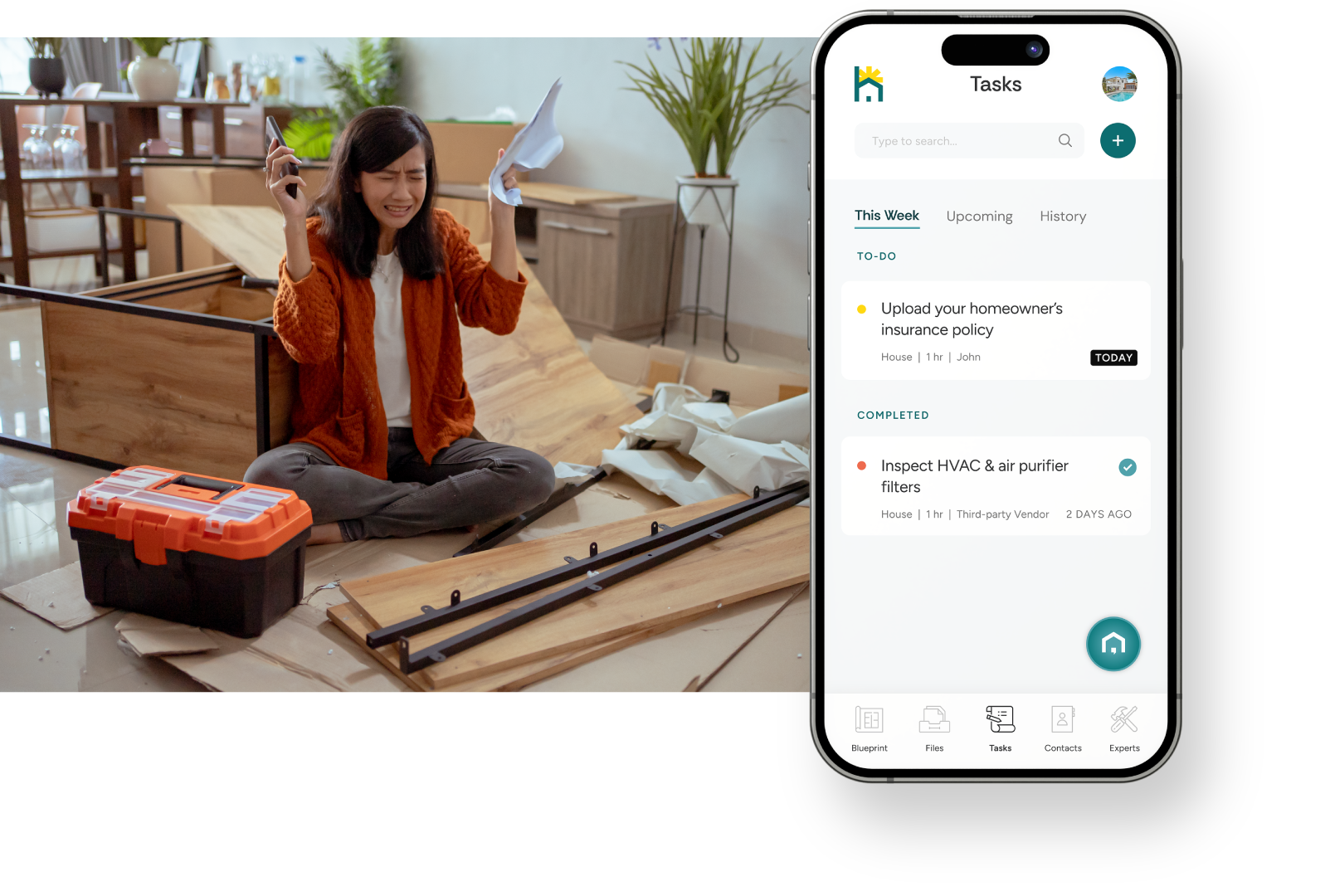
Relax while your home stays on schedule
HomeLedger builds an upkeep rhythm around your home’s assets and seasons. You’ll see what needs attention this week, before it becomes an emergency.
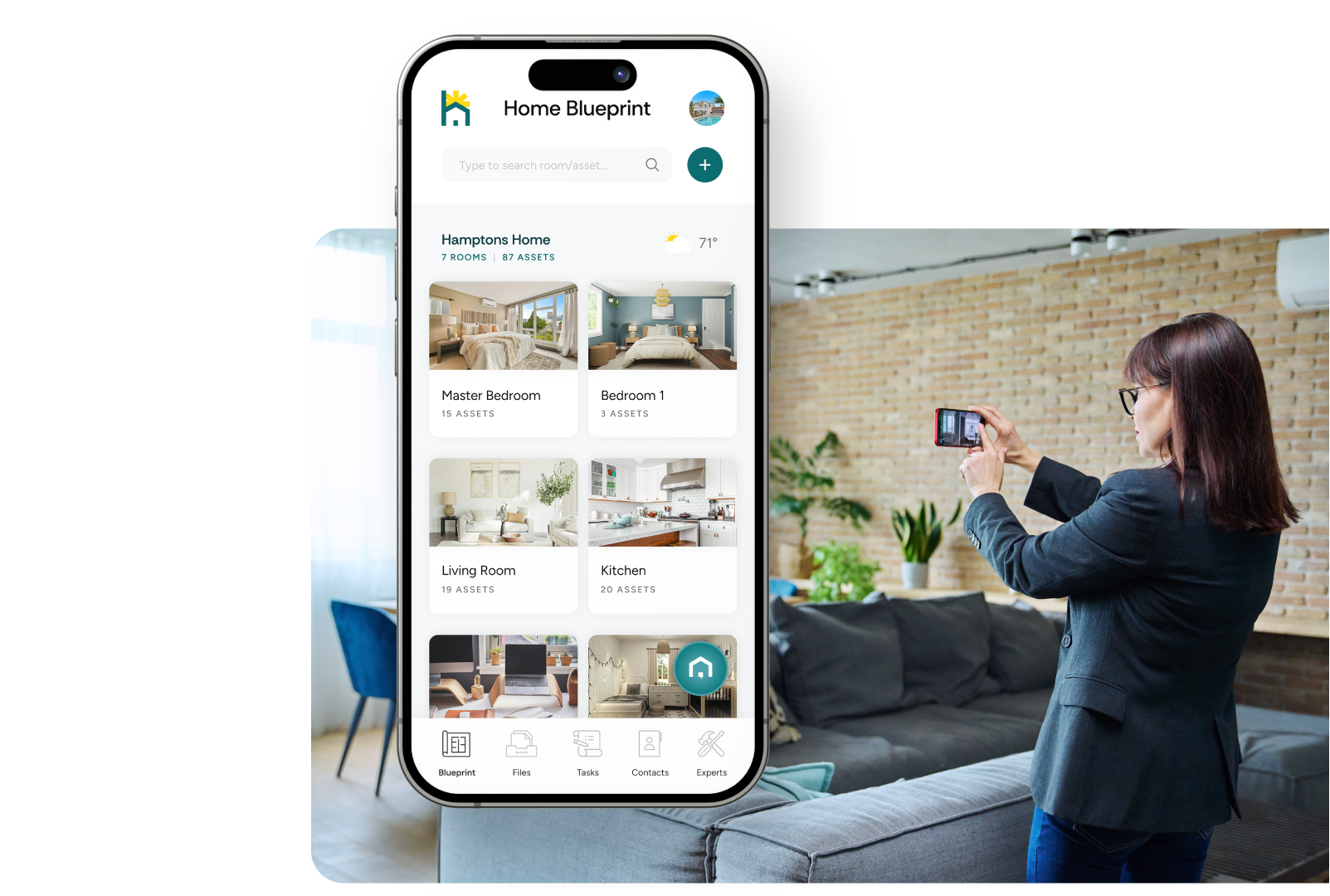
Clarity when things break. Confidence when they don’t.
From paint colors to appliances, keep a living record of what makes your house yours so you’re never searching when it’s time to upgrade, replace, or repair.
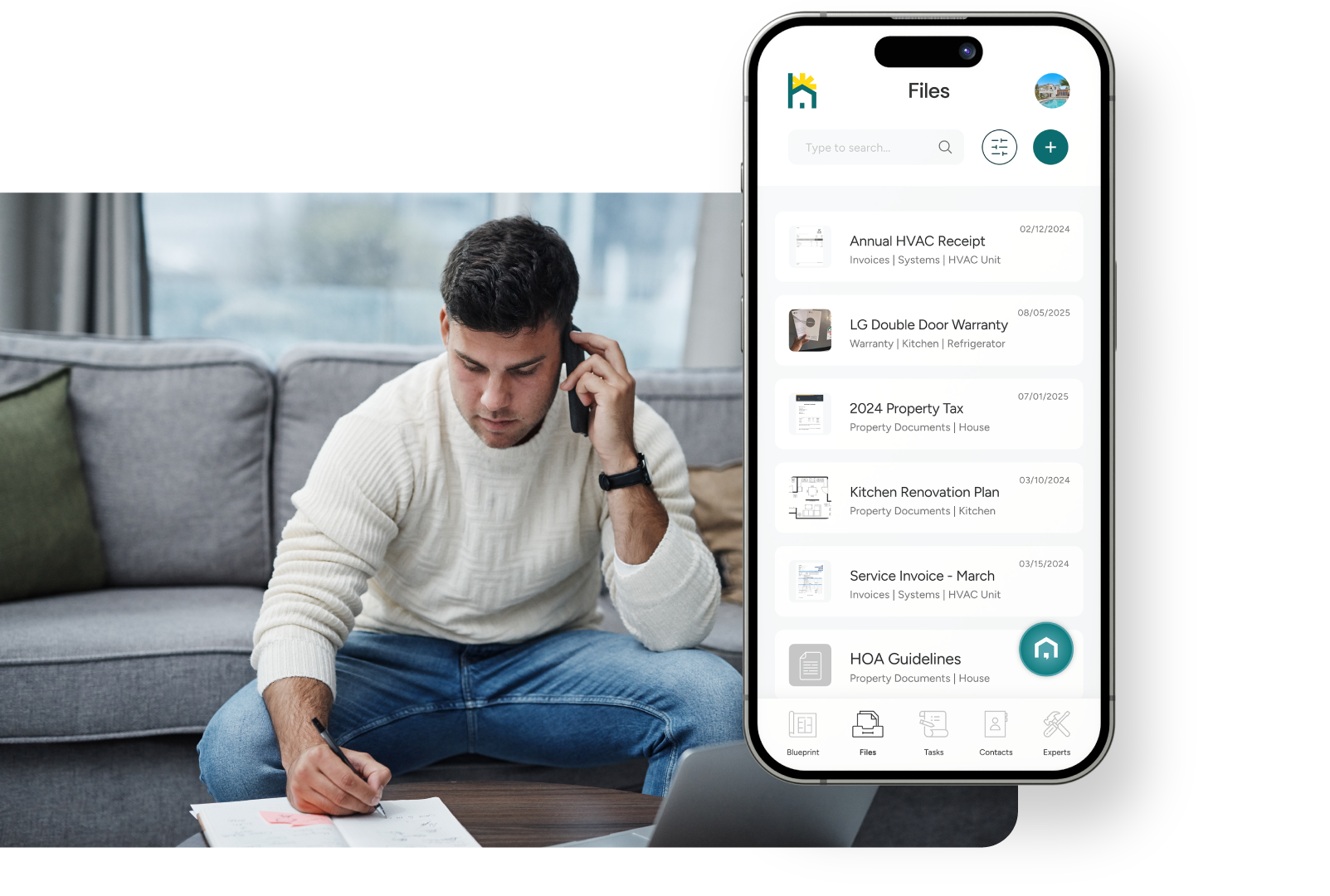
Proof that protects and grows value
Receipts, warranties, manuals, permits, HOA docs - all saved once, indexed and searchable. When a claim or repair comes up, the proof you need appears in seconds.
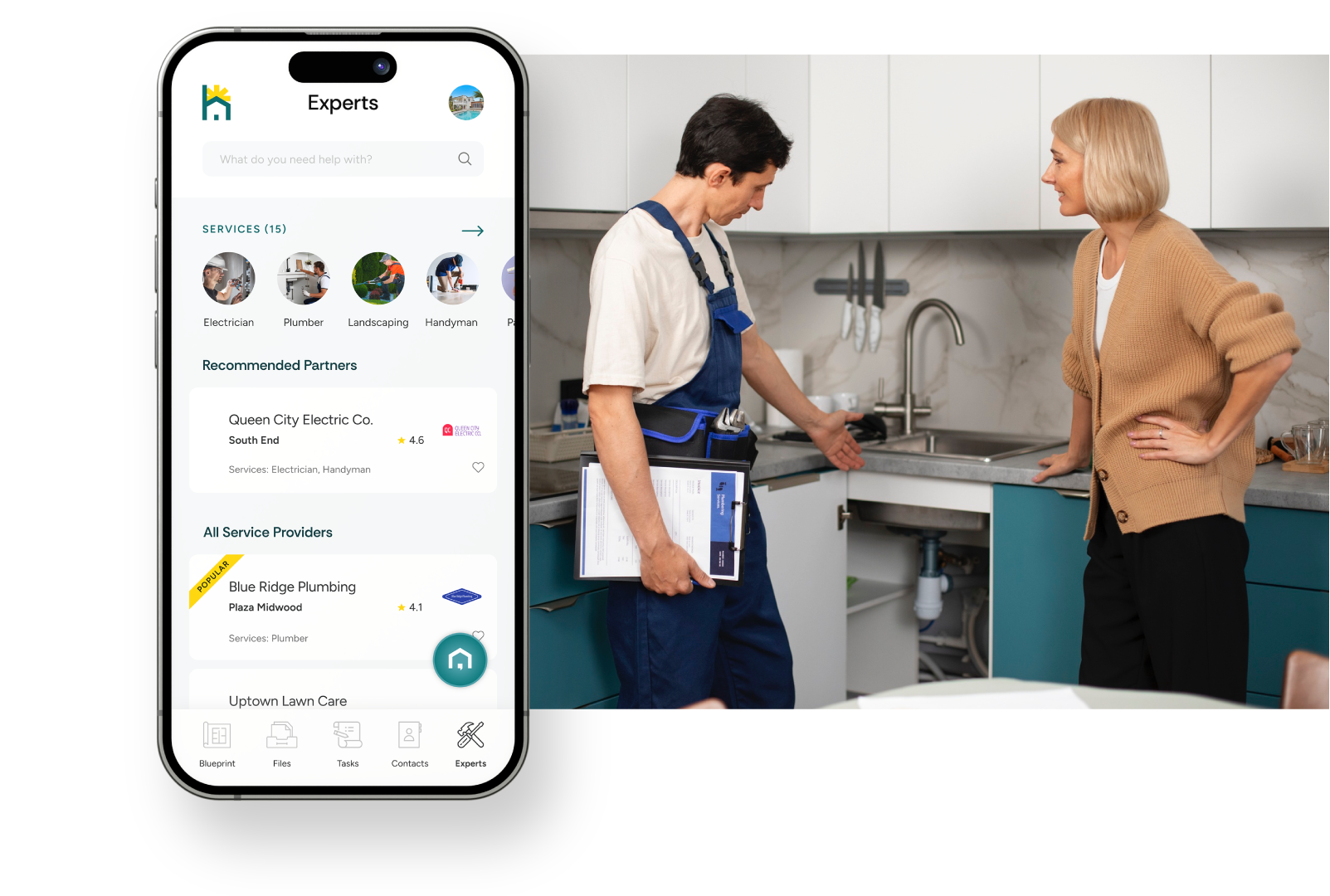
Trusted experts, right when you need them
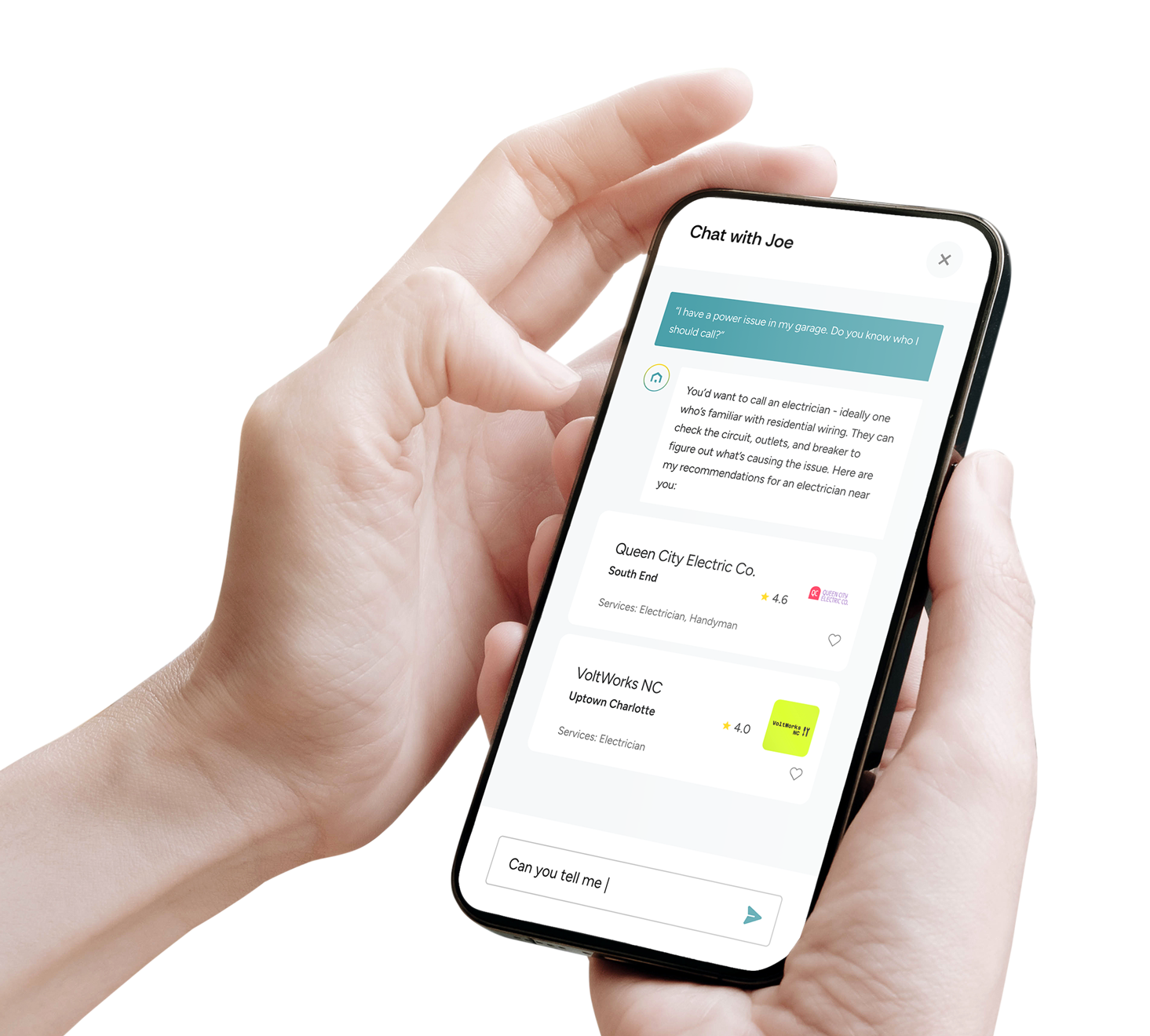
When a job needs a pro, tap a curated list of local Service Experts inside the app. They arrive knowing what they’re fixing because your details are clear.
Your on-call AI assistant, one tap away
Ask the question that’s in your head:
“Which filter size fits?”
“When was the water heater serviced?”
“Is this under warranty?”
Joe answers using your home’s details, so you act with confidence, not guesswork.
“We sold our place last month. I handed buyers our HomeLedger history - maintenance, upgrades, warranties. It built instant trust and kept negotiations calm.”
Chris L., Raleigh NC








From zero to organized in minutes

Add your address and rooms
Create your home profile so everything files to the right place.

Capture your home’s backbone
Make a record of major appliances to power smart reminders and Joe’s precise answers.

Secure what you own for peace of mind
Keep documents in one place, let reminders run, and sleep easier every night.
Ready to feel the difference? Install HomeLedger, create your account, and you’re in.
What makes this home management app different
Built around your home’s data.
Rooms, assets, models, serial numbers, and service history power everything - from reminders to AI answers.

Keep HOA docs and projects on track.
Keep bylaws, dues, and notices handy; track project costs and compare estimates without losing the thread.
Private by design.
Your data stays yours. Share selectively, revoke anytime, export when you need.

Manage multiple properties, effortlessly.
Switch between homes, keep tasks and documents separated, and stay organized without mix-ups.
Search that understands homeowners.
Find “fridge warranty,” “dryer vent,” or a paint code in seconds.

Designed for handoffs.
Share a record with a partner, a contractor on a job, or a future buyer - easily, and only what you choose.
Frequently Asked Questions
-
HomeLedger is a digital home maintenance app designed to help homeowners keep track of their property's upkeep. It allows users to schedule routine tasks, store important documents, track expenses, and receive reminders for upcoming maintenance. The app simplifies managing all aspects of home maintenance in one convenient platform.
-
Setting up HomeLedger is easy! After downloading the app, you'll create an account and input basic information about your home. You can then start adding tasks, setting reminders, and uploading documents. The intuitive interface makes it easy to navigate and customize according to your needs.
-
Yes! HomeLedger allows you to fully customize your maintenance tasks and reminders. You can set recurring tasks based on your home's needs, adjust reminder frequencies, and prioritize tasks that are most important to you.
-
Absolutely. HomeLedger takes data security seriously. All your information is encrypted and stored securely. We also offer features like two-factor authentication to add an extra layer of protection to your account.
-
Yes, HomeLedger is designed to support multiple properties. Whether you own multiple homes or manage rental properties, you can easily switch between properties within the app and manage their maintenance needs individually.

HomeLedger is your all-in-one solution for home management